Techmell |
- Apple Against Samsung in Court, President Obama to Step-in
- The Best Alternatives for Lavabit: Only for Ethical Use
- Windows 8.1 Build 9471 Features Pre-installed Skype, Retouched Calendar & Assigned Access
- Leaked Windows 8.1 Build 9471 Video Showcasing all Features
| Apple Against Samsung in Court, President Obama to Step-in Posted: 12 Aug 2013 01:17 PM PDT It has been a tough one between Apple and Samsung as both companies have been heading to court for one reason or the other against one another. The majority of the times Cupertino has surfaced successfully explained by a hefty one billion dollar Samsung had to pay the former. But it doesn’t end here.
Following the orders issued in 2012, Samsung was bound to redesign a number of devices that has positively resulted in freedom from Apple lawsuits on latest Samsung devices. On the downside, Samsung Galaxy Tabs from the year 2010 and 2011 as well as Samsung Galaxy S2 along with Samsung Continuum will not be seen in the markets for long. Owing to a deadline of 60 days, Samsung has to ensure stock clearance meanwhile the President, Barack Obama, will look into the matter and give a ruling to the Apple-Samsung clash. This isn't the first instance of the President to take the technology world's matter into his own hands in fact President Obama used his veto over-ruling ITC in favor of At&T iPads and iPhones the previous year. But that was a matter of serious patents being infringed by Samsung this recent lawsuit however includes Samsung violating two minor patents. In any case, we must hope this isn't going to set a new practice among manufacturers and OEMs to trigger patent battles as no matter who loses or who wins the ultimate loss is for the users who paid for features they might not be getting. Via: Engadget The post Apple Against Samsung in Court, President Obama to Step-in appeared first on Techmell.  |
| The Best Alternatives for Lavabit: Only for Ethical Use Posted: 12 Aug 2013 12:52 PM PDT Lavabit, the largest online source to provide the encrypted email service to its wide range of users has been shut down before a couple of days. The major reason of its popularity was Edward Snowden who used it for sending emails without being noticed by NSA. He is a former employee of NSA who is running away from America and he was begging for Asylum from Russian Government. Lavabit was using three types of encryption services including Advanced Encryption Standard, Elliptical Curve Cryptography and Secure Hash Algorithm. Now that Lavabit is not available to provide its services, the users are looking for its alternatives. Here, you will find some renowned alternatives of Lavabit. Disclaimer: These Lavabit alternatives are only for ethical use, do not use any of these for spam and abuse purpose; otherwise these service providers may share your registration and location details with concerned authorities. If you have any queries, suggestions or advise then use our contact us page. Gpg4Win
Sendic
Enigmail Extension
Private De Mail
Mailoo
Mailinator
Abine
The post The Best Alternatives for Lavabit: Only for Ethical Use appeared first on Techmell.  |
| Windows 8.1 Build 9471 Features Pre-installed Skype, Retouched Calendar & Assigned Access Posted: 12 Aug 2013 08:31 AM PDT Windows 8.1 RTM release is just around the corner but here we already have witnessed the most recent Build 9471 leaked on the web. This build appears to include almost all features to be added in the final release as a number of new and enhanced changes are there such as a pre-installed Skype, retouched Calendar, Assigned Access feature and quite a few tutorials for the users.
Apps have been upgraded with design strategies kept in common with the related apps. For instance, the new Health and Fitness interface in Build 9471 is now in sync with the similar Bing Food and Drink service. With the improved Calendar feature, now you can keep an eye on the scheduled events under a newly added 'What's Next?' tab showing all events added to the calendar. A minor yet useful feature is incorporated in the Reading List that offers tips as you open the app and selecting tip automatically launches Internet Explorer navigating to the official Microsoft website Frequently Asked Questions (FAQ) page. Check out leaked Windows 8.1 Build 9471′s Video Here When you launch your first app in Build 9471, you are presented with a useful tip that tells you to move the cursor to the corner or swipe inwards from the right side depending upon the type of device you are using. This starting tip is pretty useful for the users who are using Windows 8.1 straight after Windows XP. Assigned Access has made a comeback in Windows 8.1 enabling the users to keep their accounts to a particular app only. Though there are methods to get out of the Assigned Access mode which might attract Microsoft's attention sometime soon. The post Windows 8.1 Build 9471 Features Pre-installed Skype, Retouched Calendar & Assigned Access appeared first on Techmell.  |
| Leaked Windows 8.1 Build 9471 Video Showcasing all Features Posted: 12 Aug 2013 07:51 AM PDT Windows 8.1 Build leaks have been coming one after the other as the final launch is nearing, the recently updated Build 9471 has been sent select partners for testing and as many had anticipated the build has been leaked today. For those of you who would not be trying the leaked Beta out but are still curious about the inside news, we have a video covering all the major features in this leaked version comprising of the new and improved features from Redmond.
Windows 8.1 pre-release builds like the one being mentioned are intended for developers to test-run the Operating System. Since these are not the final version it is not recommended for non-developers to try it out on their daily machines as it could result in some serious malfunctioning of the device. OEMs are most likely to receive the RTM version of Windows 8.1 fully developed by the coming week or the next. As already mentioned, this Build 9471 is quite recently released to developers thus it probably has everything we are going to see in the RTM version of Windows 8.1. Source: Youtube (Winbeta) The post Leaked Windows 8.1 Build 9471 Video Showcasing all Features appeared first on Techmell.  |
 As per information, another ban had been issued by ITC on a number of Samsung devices under "limited exclusion order" which held the company guilty of copyright infringement of Apple's various design patents. The order has been reconsidered again resulting in lifting the ban from design patents however, Samsung is not fully out of it yet as the company is found to infringe two of Apple's design patents: patent 7,479,949 relating to a scroll feature and patent 7,479,949 relating to a microphone jack feature.
 It is an excellent alternative for Lavabit that is specifically designed for Windows. It allows you to send the signature based and encrypted emails. It fulfills the required standards of cryptography, S/MIME (X.509) and OpenPGP. It is available for free and you do not need to pay fees for using it. Gpg4Win offers various features to its users that help them in encrypting data such as GpgOL, GPA, Claws Mail and Kleopatra.
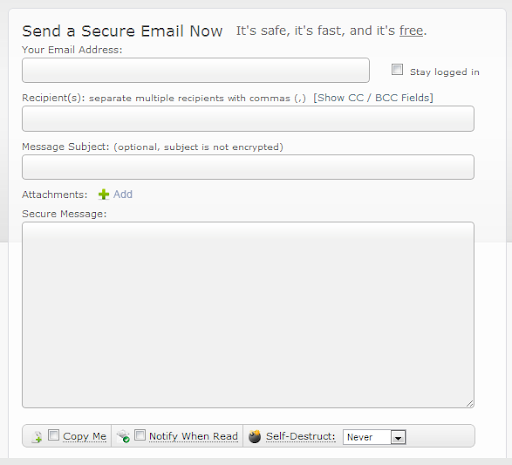 Sendic is one of the top ranking online sources that are providing encrypted email services to the users throughout the world. It is top ranking due to the ease of use. It is absolutely free service. You just need to move to the website and write your required email that will be encrypted automatically. This online source facilitates you to set a specific time for "auto destruct". In the matter of other encrypted email services, you need to download the software. This is not the case with "Send". It is an online source and you can use it without downloading. It works faster and quicker.
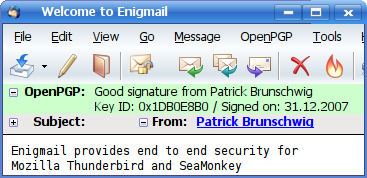 It is one of the most wanted encrypted email service due to its ease of use. It is absolutely compatible with Thunderbird that is considered the most wanted email client of the world.
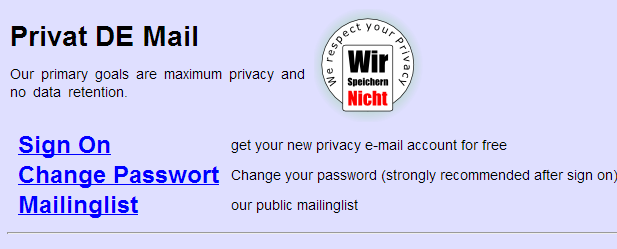 If you do not want to download the software and want to use an online source, Private DE Mail is the best source for you. It gives you absolutely free encrypted emailing service that is reliable as well. You just need to sign up that is free. If you are using privatedemail’s email address, your IP address is not visible in mail headers and if you are using another email address, IP address is visible. It is the best online source that can be used for emailing if you want to keep your data safe and secure. You just need to take care of one thing while using Private De Mail service. You need to check the sender address that should match the privatedemail address you are using. If it does not match, you will receive an error and the email will not get processed.
 It is considered one of the best email services that is free as well. It ensures the reliability for the comfort of the users.
 This service gives you an option to create a disposable email address, credit card and phone numbers. It helps you in masking your real information. There are some high ranked social networking sites that also do not care in hiding your personal information. These websites include LivingSocial, Facebook and Yahoo, etc. The personal information including your password, email address and date of birth you add to these sites can be hacked anytime and thus, your data lose and your identity is at high risks. So, Abine helps you in this context and provide you safe and secure platform where you can send and receive emails to your contacts throughout the world.
 A pre-installed Skype app translates into an end to the earlier Messaging service that was already absent in the Preview version of
  Being a Windows fan, you must be excited to go straight to the video but let me inform you first the audio is not up to the mark as the Uploader didn’t have an option other than his laptop and its microphone for composing the video at that moment. Nonetheless, the video giving a sneak peek into the leaked Build 9471 of the upcoming
 | You are subscribed to email updates from Techmell To stop receiving these emails, you may unsubscribe now. | Email delivery powered by Google |
| Google Inc., 20 West Kinzie, Chicago IL USA 60610 | |
No comments:
Post a Comment